
How to send virtual flowers for free (by link, WhatsApp or text)
Most "free e-flowers" sites want an email signup, show ads on the recipient's screen, or send a flat image that looks like a 2009 e-card. If you just want to send someone a pretty bouquet with a message in the next two minutes, here's what to look for and how to do it.
What a good free virtual flower should do
Open from a link
A link travels everywhere: WhatsApp, iMessage, Instagram DMs, Telegram, email. The other person shouldn't need an app or an account.
Look good on a phone
That's where almost everyone opens it. Tiny text or a desktop-only page kills the moment.
Carry your words
The note is what makes it personal. Look for room for a real message, not a fixed greeting.
Not spam the recipient
No pop-ups asking them to sign up, and no ads on top of your message.
Step by step: send a free flower box
1. Open the Flower Box
Go to ask-them-out.com/flowers. There's nothing to sign up for.
2. Tap flowers into the bouquet
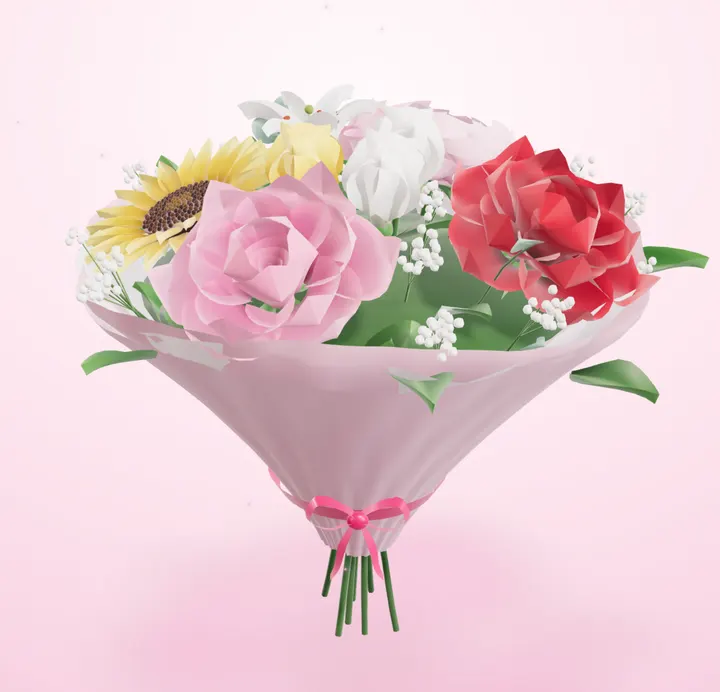
Pick from roses, tulips, sunflowers, lilies, peonies and daisies. Tap any flower in the bouquet to recolour or remove it. Paper and box colours are under Style.
3. Add your names and note
Up to 500 characters. Optionally add a question they can answer.
4. Copy the link and send it
Paste it into WhatsApp, iMessage or a DM. They see a gift box, tap to unwrap it, and can spin the bouquet in 3D.
5. Check your tracking page
It shows when they open it and, if you asked something, their answer. Add your email if you want a notification.
Sending virtual flowers on WhatsApp
WhatsApp shows a preview card for the link, so add one line before it so it doesn't look like spam: "Made you something, open it when you get a sec 💐". Sending it as its own message, not buried in a long chat, makes it feel like a gift.
Good reasons to send flowers (that aren't Valentine's)
Birthdays you can't attend, congratulations on a new job, get-well-soon, after an exam, an apology, "thinking of you" to a long-distance partner, or a thank-you to a friend. Free virtual flowers are low-pressure, which makes them easy to send more often.
Questions
Can I send virtual flowers for free without signing up?
Yes. The Flower Box needs no account. You only enter an email if you want to be notified when they open it.
How long does the link last?
90 days.
Can I send it on iPhone and Android?
Yes, it's a normal web link, so it works in any messaging app on any phone.
Can I send flowers to a friend, not a partner?
Of course. Skip the question and just write a note.
Or try the other free one: make an ask link
Memory Lane
Make it a bigger moment
Memory Lane turns your photos into a little puzzle journey that ends with your message or question.
- Your photos & inside jokes
- 6 puzzles they play on their phone
- Your question revealed at the end